Terjemahan disediakan oleh mesin penerjemah. Jika konten terjemahan yang diberikan bertentangan dengan versi bahasa Inggris aslinya, utamakan versi bahasa Inggris.
# Menghapus endpoint kustom
Hapus titik akhir kustom menggunakan Konsol Manajemen AWS, AWS CLI, atau Amazon RDS API.
## Konsol
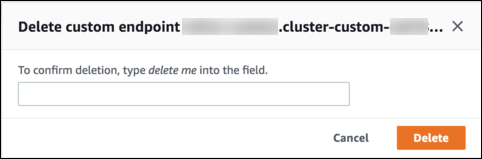
Untuk menghapus titik akhir kustom dengan Konsol Manajemen AWS, buka halaman detail cluster, pilih titik akhir kustom yang sesuai, dan pilih tindakan **Hapus**.
## AWS CLI
Untuk menghapus titik akhir kustom dengan AWS CLI, jalankan perintah [delete-db-cluster-endpoint](https://docs.aws.amazon.com/cli/latest/reference/rds/delete-db-cluster-endpoint.html).
Perintah berikut akan menghapus titik akhir kustom. Anda tidak perlu menentukan klaster terkait, tetapi Anda harus menentukan wilayah.
Untuk Linux, macOS, atau Unix:
```
aws rds delete-db-cluster-endpoint --db-cluster-endpoint-identifier {{custom-end-point-id}} \
--region {{region_name}}
```
Untuk Windows:
```
aws rds delete-db-cluster-endpoint --db-cluster-endpoint-identifier {{custom-end-point-id}} ^
--region {{region_name}}
```
## API RDS
Untuk menghapus endpoint kustom dengan RDS API, jalankan operasi [DeleteDBClusterEndpoint](https://docs.aws.amazon.com/AmazonRDS/latest/APIReference/API_DeleteDBClusterEndpoint.html).